Govern the agent tool loop
MCP is where an agent reaches the rest of your estate, so it is where agent governance is enforced: per-server auth, tool allow-lists, pinned tool definitions, and every hop budgeted, policed and logged. One user turn becomes many tool calls; each one is decided, not just forwarded.
"One user turn → N model and tool calls. Wäg auths, budgets, and logs every hop."
Federated per-server auth
Each MCP server gets the right credential: none, a static token, the user's forwarded JWT (optionally with a static fallback), or OAuth client credentials. Callers never see it.
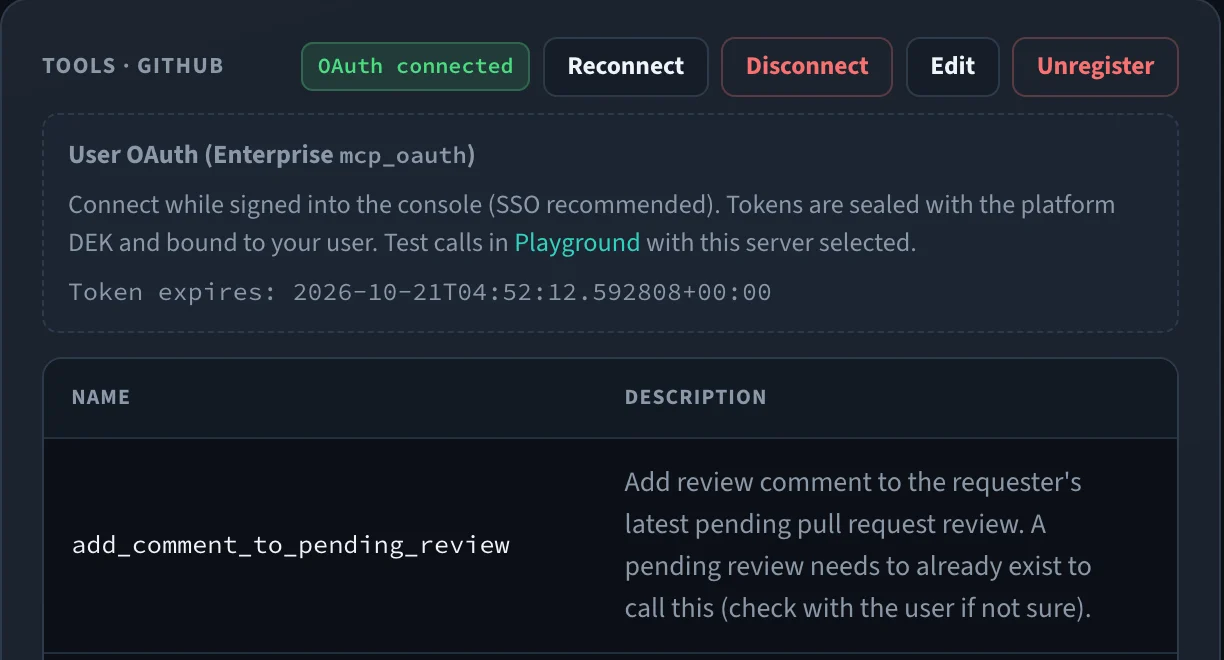
User OAuth and token exchange (Enterprise)
Each user connects their own account (authorization code + PKCE), or the caller's JWT is exchanged for a token issued for the server. Wäg seals and renews the tokens.
Grants and toolsets
Access grants decide which servers and tools each team, user or agent may use. Toolsets grant named tools across servers; a server's allowed-tools list narrows it further.
Every hop governed
One user turn becomes N model and tool calls. Wäg auths, budgets, and logs each hop — the agent loop is finally observable and controllable.
Playground tool-loop
Attach an MCP server to a Playground chat turn and read the tool trace, with guardrails, budgets and tool policies applied, before production agents use it.
One policy surface
MCP traffic runs through the same budgets, guardrails, and audit as your model calls — not a separate, ungoverned side channel.
Wäg as an MCP endpoint
MCP clients such as Claude Code connect to /v1/mcp with their usual Wäg key and see every tool they may use — and nothing they may not.
Registry allowlist
Add servers from the official MCP Registry or a private one, limited to allowlisted names. A new version raises an alert, and changed tools wait for review.
Emergency stop
One switch hides a misbehaving server's tools on every replica and refuses its calls, while its registration, pins and grants stay in place.
Step by step
- 01
Register the server
Add a remote MCP server and choose its auth mode — none, static, forward, forward-or-static, OAuth client, or (Enterprise) OAuth user and token exchange.
- 02
Scope the tools
Grant servers or toolsets to teams and agents, and narrow each server's allowed tools to the ones you have sanctioned.
- 03
Route the loop
Agents call tools through Wäg. Each hop is authenticated with the right credential, budgeted, and guardrailed like any other request.
- 04
Audit every call
Every tool invocation lands in the logs with its cost and outcome, so the whole agent loop is reconstructable after the fact.
mcp_servers:
  - name: github
    url: https://mcp.internal/github
    auth_mode: forward          # pass the user's JWT
    allowed_tools: [list_prs, read_file]
  - name: payments
    url: https://mcp.internal/payments
    auth_mode: oauth_client     # client credentials
tool_pinning: quarantine # changed tools wait for reviewMCP Gateway is one of six control surfaces enforced in the same request path, applying to every application behind the endpoint — including the ones that were never instrumented.
See how they combineOne endpoint. Every model. Complete control.
Run it in your own infrastructure
Everything you need to run a control plane in production is Apache-2.0 and stays that way — routing, HA, caching, failover, budgets, policy, MCP, jobs and observability. Self-hosted, no account, no phone-home.
$ docker run -p 4000:4000 <registry>/waeg-gateway:<version>Not a working pull: the images are not public yet. Design partners receive the registry details privately.
Deploy in 5 minutesShape it as a design partner
Wäg is not publicly released yet. We are working with a small cohort of teams running multi-provider AI in production, and serious about governance and sovereignty, to harden the control plane on real workloads.
- Every Enterprise capability included, at no licence cost
- Hands-on migration — we do it with you, including from LiteLLM
- A direct line to the engineers building it, and real influence on what ships next